Ongoing topic · Compiled September 30, 2026
OpenAI DevDay 2026: how AI takes on ongoing work
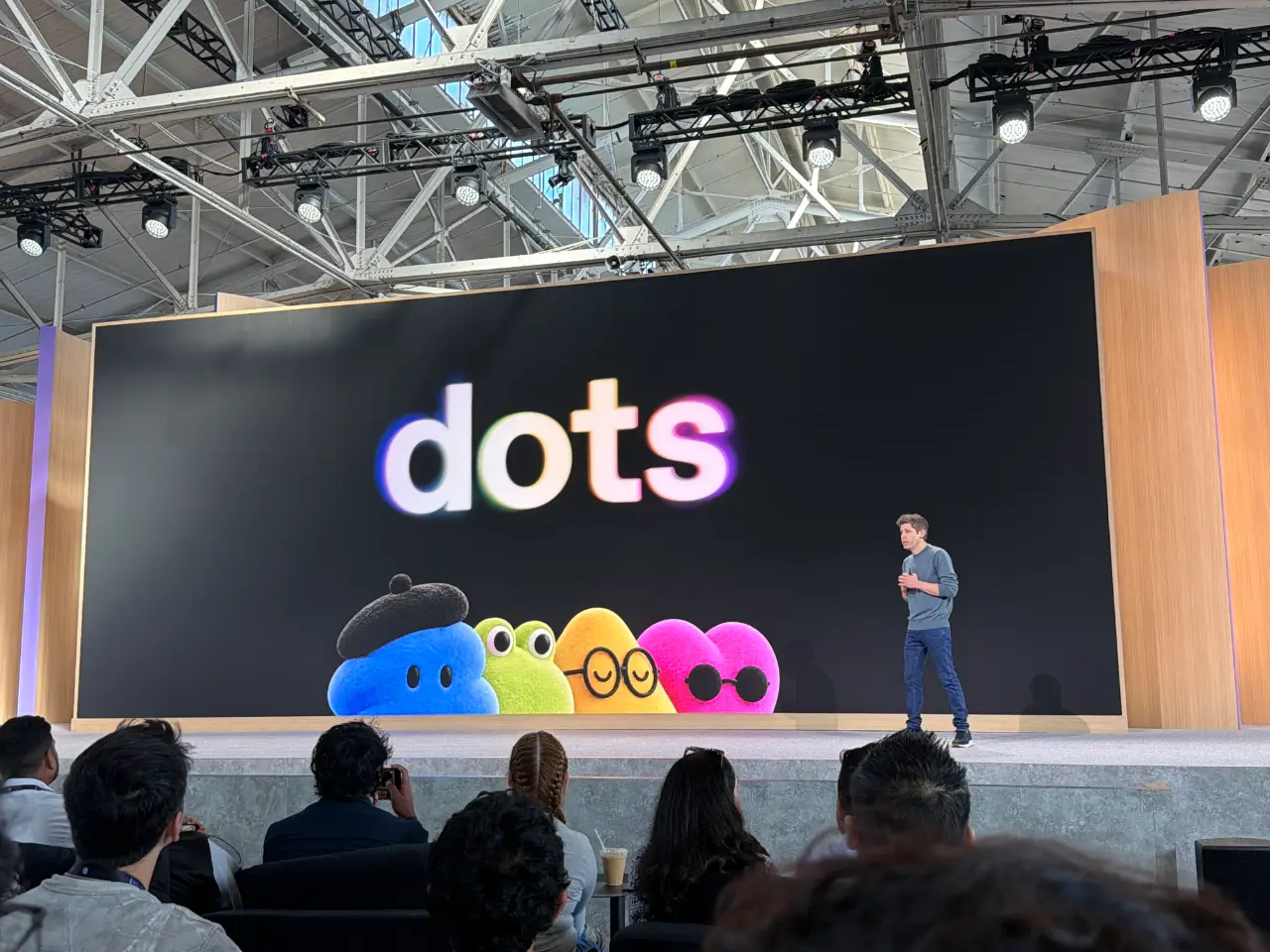
How do dots, Space, Pages and cloud Codex connect ongoing work? Start with the 3D venue demo and product interfaces, then examine model costs, developer tools and the subscription you already use.
Following next: Does continued use of dots reduce repeated explanations and omissions?
01The change to follow
Can the work continue after the request?
Personal assistants, shared documents, cloud coding and third-party apps can sound like unrelated announcements. A useful question connects OpenAI DevDay on September 29: can AI keep work moving after someone leaves the conversation, with results other people can pick up?
Dots takes on ongoing work; Space and Pages hold shared results; Codex Cloud provides development environments; plugins connect outside tools. Model cost and speed shape how far that work can go. Our reading of the combined announcements is that OpenAI is organizing model capabilities into a product experience for continuing collaboration.
There is a history here. DevDay 2025 introduced in-chat apps and the Apps SDK, bringing developers’ services into ChatGPT. In 2026, interfaces gain dedicated workspaces, shared material can be maintained, and supported tasks can begin with new messages or comments. This topic connects official documentation, live observations and later projects, checked through September 30.
Sources and notes
- OpenAI DevDay 2026 recap ↗Official release · September 29The announcement scope; access conditions come from each product’s documentation.
- 2025: apps in ChatGPT and the Apps SDK ↗Official historical materialThe earlier step of bringing services into a conversation.
02An ongoing assistant
Dots: from a request to an ongoing responsibility
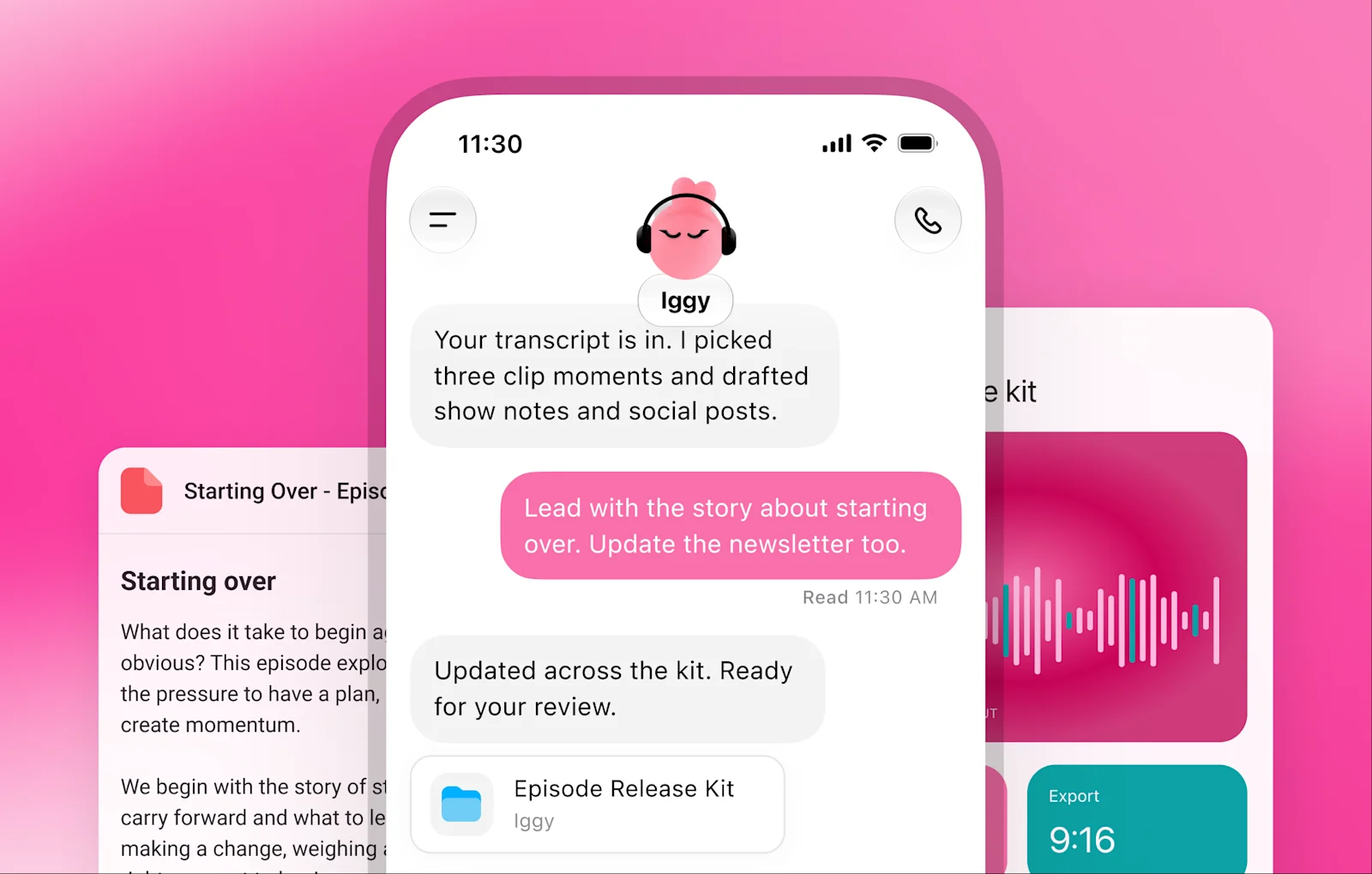
OpenAI describes dots as Astra-powered agents with their own cloud computer and connected apps. Its launch account includes an early user whose dot noticed a missing publication invoice, prepared it and sent it with his approval. This vendor-reported example shows a concrete sequence: notice an omission, prepare an artifact, then involve the person in the decision.
For a creator, an ongoing assistant could help maintain interview material and drafts; for a small team, it could follow feedback, designs and launch preparation. The useful test is continuity: will accepted wording and settled requirements survive into the next task? These are our suggested uses of the product, to be tested in practice.
Official guidance limits idle proactive research to read-only tools. Task actions depend on connected access, user rules and required confirmations. Initial access covers Pro and Business Premium in eligible markets, plus an admin-enabled beta for Enterprise, Edu and Healthcare. First setup uses the desktop app or desktop browser; messaging can then continue on mobile.
Sources and notes
- Introducing dots ↗Official product and early exampleCloud computer, proactive research, permissions and initial access.
03A place for shared results
Space and Pages: keep work in a shared, editable result
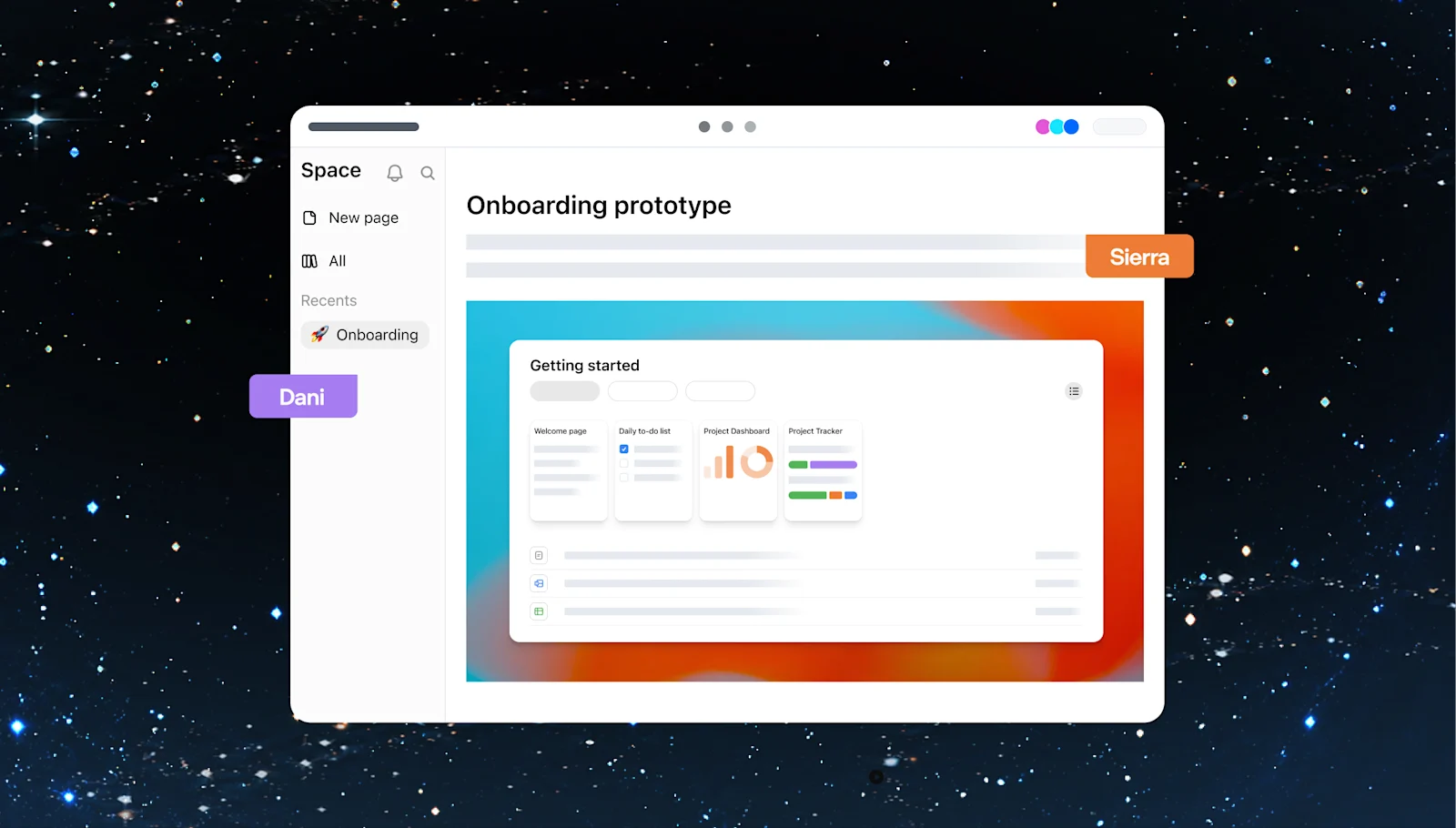
Space holds shared pages and files. A Page is a document people can keep writing, visualizing, analyzing and revising. Official examples show teammates editing and commenting in one place, then asking ChatGPT or a dot to continue. The plan can outlast a conversation instead of being scattered across separate chat histories.
For a small event, a useful starting page could contain the venue, budget, program and open tasks. Members revise agreed details, then ask AI to organize next steps. This is our suggested starting scenario. Recurring upkeep also needs instructions about sources and timing; an editable page does not automatically keep every connected source synchronized.
As checked on September 30, Space is available on Pro, Business and Enterprise. Web and desktop support creation and collaboration; mobile initially supports finding, reading and sharing. Collaborative slides and spreadsheets, along with mobile editing, are still forthcoming.
Sources and notes
- ChatGPT Space product guide ↗Official guide · checked September 30Collaboration, upkeep and device-specific availability.
04Capability, cost and waiting
What do Sol 6.1 and Ultrafast change?
Sol 6.1 changes the capability–cost balance. OpenAI positions it near Astra for coding, computer use and professional work at one fifth of Astra’s standard API input and output rates. It is available in ChatGPT Work, Codex and the API, but not yet ordinary Chat at launch. Our Astra topic compares independent task costs and times to examine which work might move.
Ultrafast changes the speed tier. Official documentation defines Astra’s “up to 8×” in Codex as token generation speed. Searching, tool use, testing and rework still take time. Seeing a first result sooner may encourage more iterations; total time saved needs a complete-task comparison.
At this edition’s check, Astra Ultrafast is available on Pro 500 and eligible Enterprise and Edu plans; Sol 6.1 Ultrafast remains forthcoming. Astra Ultrafast consumes included usage at 8× Standard, while purchased credits and enterprise pay-as-you-go use a 6× billing rate. These are usage multipliers, not speed measurements; API billing is separate.
Sources and notes
- GPT-6.1 Sol launch ↗Official positioning and accessNear-Astra is vendor positioning; access and unit rates follow the launch.
- Speed-tier documentation ↗Official docs · checked September 30Generation speed, usage consumption and access are separate.
05How developers connect it
Cloud execution and plugins connect the work
Codex Cloud puts code, setup and execution in reusable cloud environments, supporting continuation across devices and shared team setup. This differs from remotely connecting to your own computer. Its environment documentation still lists capability gaps: current Codex cloud environments do not support browser or computer use. Computer use announced for the Agents API should not be assumed available in every cloud task.
Plugin extensions give developers sidebar entries, interactive panels and file viewers within ChatGPT. Design, research and specialized work can stay in an appropriate interface alongside the conversation. Availability varies by client and plan; the documentation still marks web extensions for Free and Go as forthcoming.
MCP Events lets supporting plugins report changes such as new messages or comments, then trigger work according to user instructions. A new task-board item could lead to gathered context and a draft plan. The plugin needs event support and configured actions; connecting an existing plugin alone does not give it continuous monitoring.
Sources and notes
- Codex Cloud ↗Official usage documentationCloud execution and reusable environments.
- Cloud environments ↗Official capability scopeCurrent unsupported cloud capabilities.
- Plugin extensions ↗Official developer documentationPanels, viewers and client availability.
- MCP Events ↗Official developer documentationPlugin support needed for event-triggered work.
06What was seen on stage
A 3D venue, a launch radar—and live interruptions
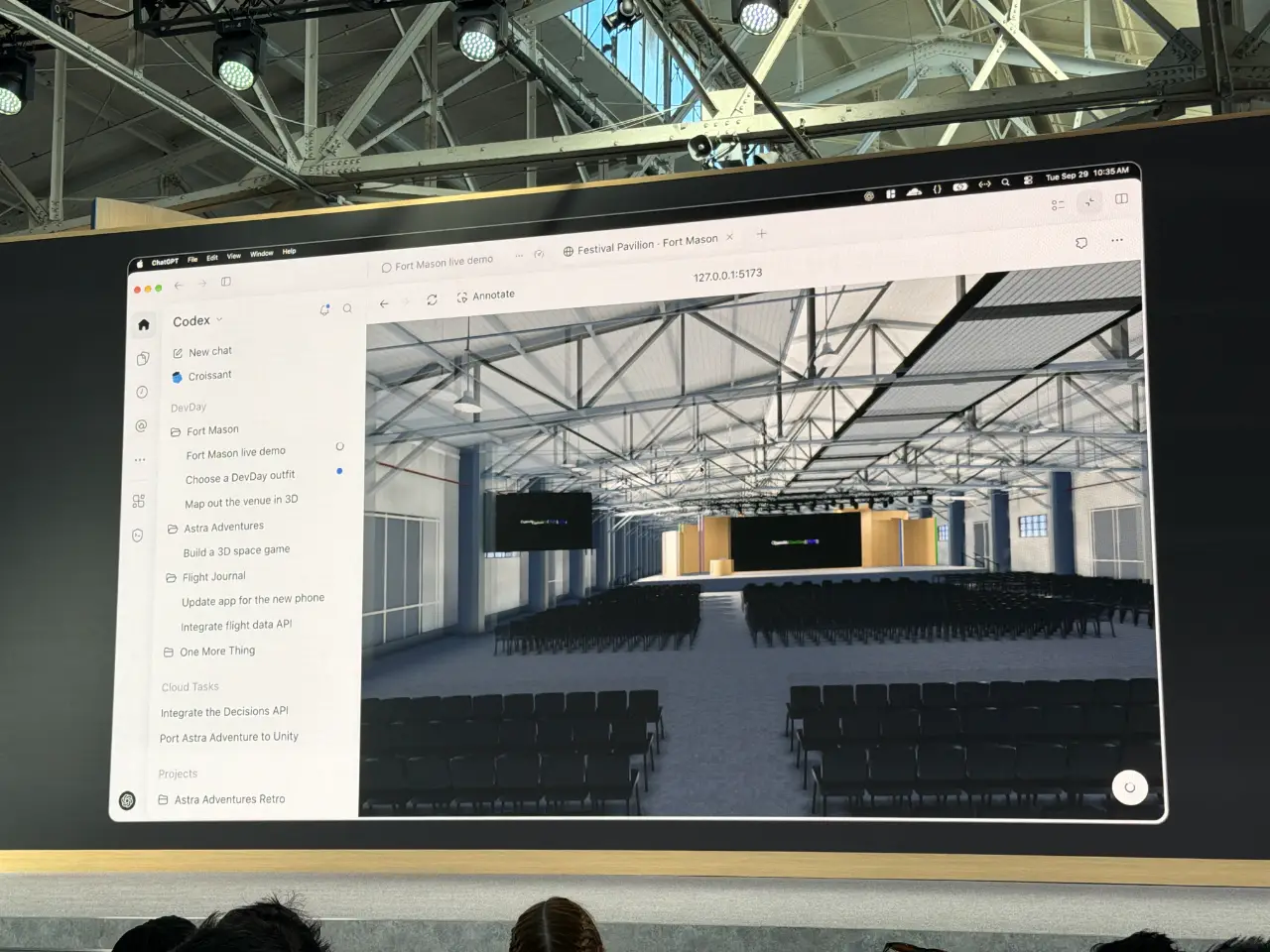
Simon Willison’s live report describes Romain Huet adding the livestream to a screen inside a 3D venue, and a Sites session turning a launch spreadsheet into a Launch Radar website. One makes rapid iteration visible; the other turns shared material into a browsable tool. These are conference demonstrations, not evidence of long-term reliability.
The same report preserves friction: Dottie paused before responding, and the 3D demo’s voice interaction failed, so the presenter typed instead. Before the keynote, Simon encountered trouble using Codex Cloud for a photo-upload tool and switched tools. That single experience preceded the new demonstration and cannot establish a verdict on the new version.
MicroDuck also appeared on stage; its existing topic explores the hardware and development process. These observations connect two questions: what can AI now help make, and where does a person still take over? The most useful follow-ups will expose inputs, revisions, failures and final artifacts, showing how demonstrated capabilities carry into everyday projects.
Sources and notes
- Simon Willison’s DevDay live blog ↗Firsthand observations · complimentary ticketIncludes demos and interruptions; not an independent reliability benchmark.
07How subscriptions connect
A ChatGPT subscription can travel into other apps
Sign in with ChatGPT separates account sign-in from permission to use your plan allowance. Plus and Pro users can opt into plan usage in eligible participating apps without sharing an API key. Those requests draw from the existing Work/Codex allowance rather than creating a second free pool.
That can change the question “I already subscribe—must I change tools?” Check whether a familiar app participates, then set its weekly cap. The app may still charge for its service, infrastructure or premium features. Developers gain a route to existing users; users may keep familiar tools, while still assessing the total cost.
Pro 500 is the new $500-per-month plan that includes Ultrafast. The help page also confirms reopened Pro 200 sign-ups with a lower allowance than before; eligible existing users retain their previous allowance only through October 29. A personal choice should start with actual work and needed features, rather than treating the fastest announced tier as the default.
Sources and notes
- Using a ChatGPT plan in other apps ↗Official help · checked September 30Identity, shared allowance, app caps and separate charges.
- ChatGPT Pro tiers ↗Official plan guide · checked September 30Pro 500 and Pro 200 pricing, features and transition conditions.
08Bring it back to your own work
Start with one recurring piece of work
If you organize events, courses or content, start with real material and see whether Pages makes revisions easier to continue. If you already code with AI, compare local and cloud work, or speed tiers, on the same task. If you build tools, begin with one useful interface or event connection. These are suggested observation paths, not completed user tests.
For users of Opus, Muse or other tools, DevDay provides a reference point: does your task need a different model, a shared editable artifact, or an environment that continues while you are away? These needs do not require replacing everything at once. Identify the part that improves your experience, then consider a switch or combination.
This topic will follow three questions: whether dots reduces repeated explanations over time, how Pages handles conflicting source changes, and what developers actually build with the new interfaces. Reproducible processes and artifacts will return to the relevant sections; if everyday rework cancels out the demonstrated benefits, that will change our assessment too.
What we are following
09What comes next
What we are following
- Does continued use of dots reduce repeated explanations and omissions?
- How do Pages reconcile shared edits with changes in external sources?
- Which developer projects expose inputs, rework and final artifacts?