Weekend reading · From material to result
Give AI your material. What makes the result useful?
A recording, a photo or a few pictures of an old home can become notes, an edited image or an explorable website. Compare the results, the tools involved and the work that remains.
01
Choose the result before choosing the tool
Giving material to AI can mean three different kinds of completion: finding who agreed to what in a recording, changing only the requested part of a photo, or turning an old home into a website your family can open. Before choosing a tool, finish this sentence: what do I want to receive, and who will use it next, in what way?
The three approaches below serve different needs. Compare the step that causes you the most work: capturing the material, making the requested revision, or delivering something another person can use. That tells you whether to keep your existing assistant, add a dedicated tool or try another model.
02
Keep a conversation: connect capture with the notes
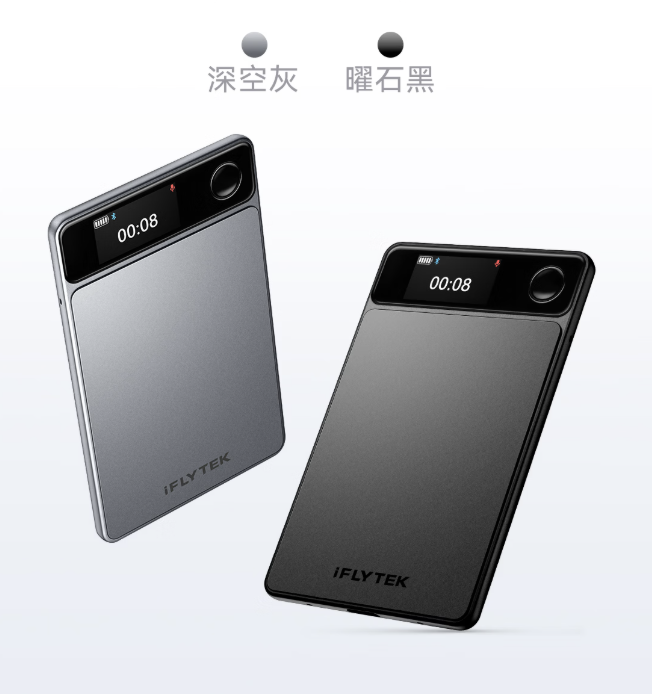
ITHome reported on September 18 that iFLYTEK’s recording card was listed on JD.com for ¥999. The 4 mm, approximately 33 g device attaches magnetically to a phone and supports call and in-person recording.
It offers transcription, summaries and action items, making conversations easier to revisit. The listing specifies 16GB storage and up to 30 hours of battery life. Pickup, noise reduction and transcription performance are product claims, not our measurements.
If your phone already produces a clear recording, try extracting decisions, owners and deadlines with the transcription tool you use, then check names and times against the audio. A reason to add hardware should come from capture, such as calls that are difficult to record or repeatedly forgetting to start recording. Compare a recording card with meeting earbuds by what they capture, how audio reaches transcription and which allowances remain after the first year. The product information helps frame that choice; whether it saves work depends on your actual routine.
Sources and further reading
Check the card’s allowances and compare other ways to keep a record →
03
Edit a picture: specify what stays and what changes
OpenAI’s September 8 announcement introduces Sketch and templates for formats such as flyers and product photos. Existing material can establish the subject, composition and style to retain.
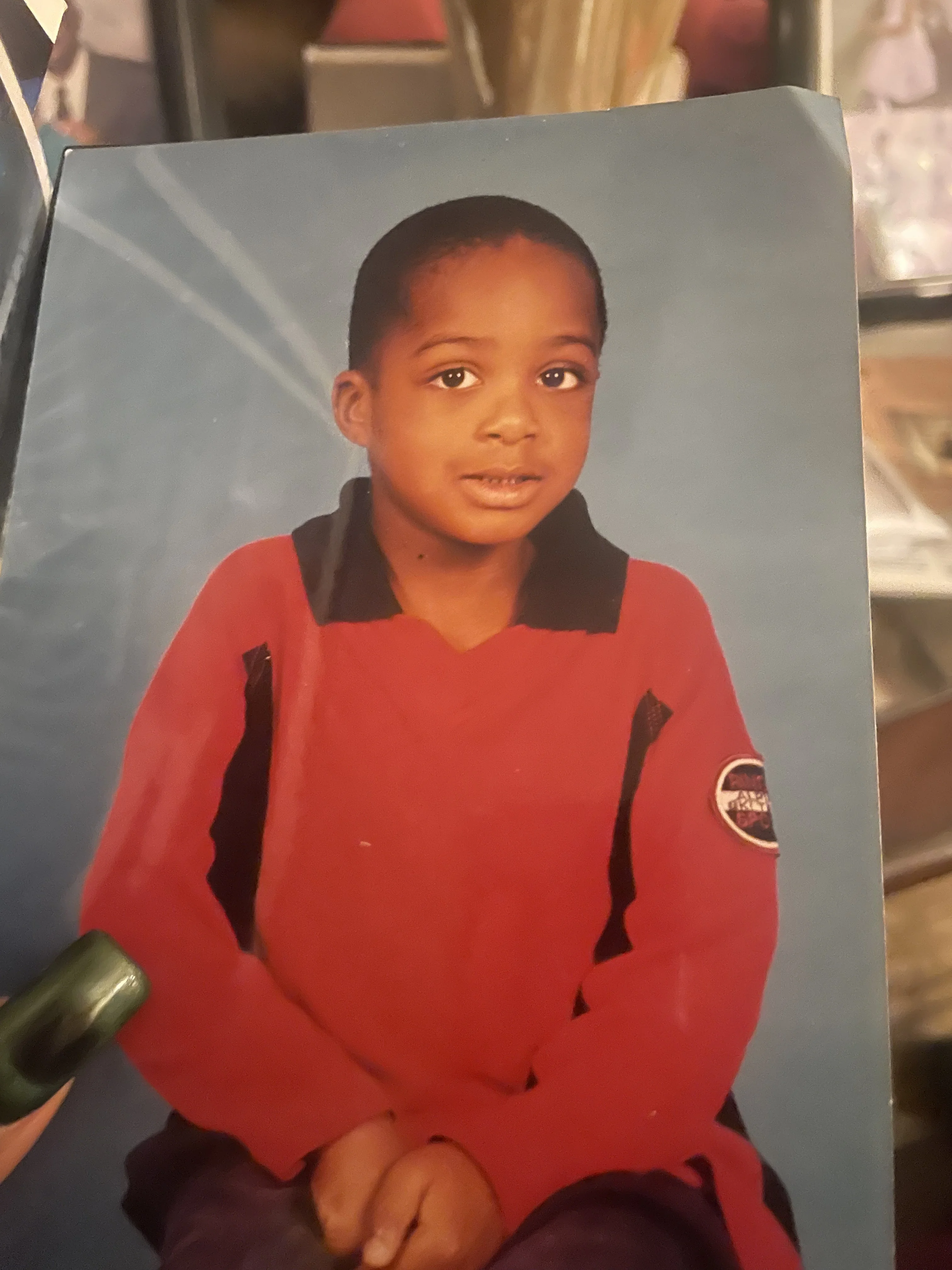
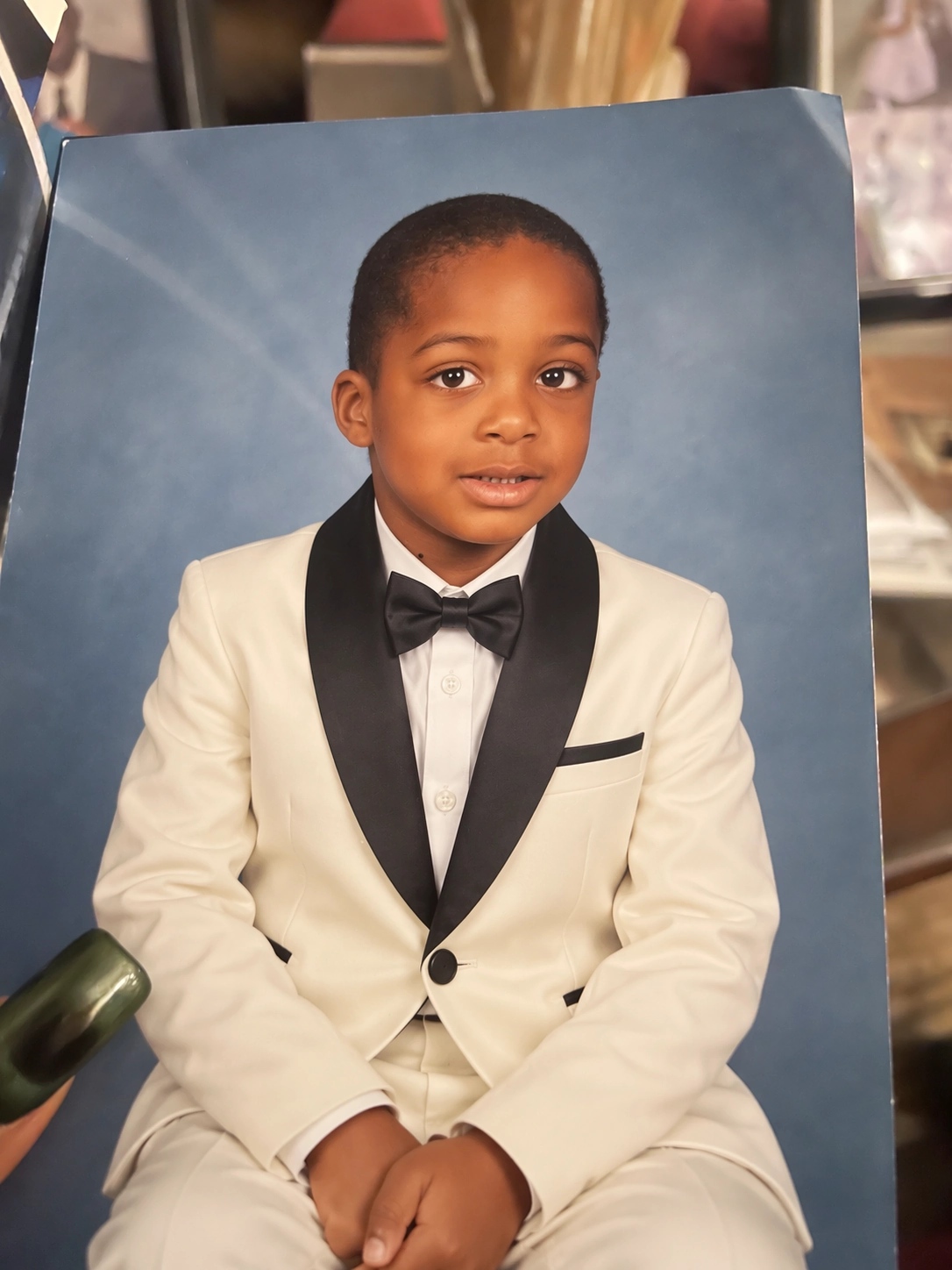
An official example changes a child’s red shirt into formal wear while preserving the pose and blue background. The input and result below let readers compare the change; they are OpenAI’s example.
These official before-and-after images suggest a concrete check: the clothes changed, but did the pose and blue background remain? For your own poster or product picture, request one change and specify the people, text and layout to retain. Keep working from the original with a tool that handles the edit well. If each revision disrupts something else, give another tool the same source image and request. Check each revised image against its intended use to see which result saves you further rework.
Sources and further reading
04
Let others explore: photos need a scene and a website
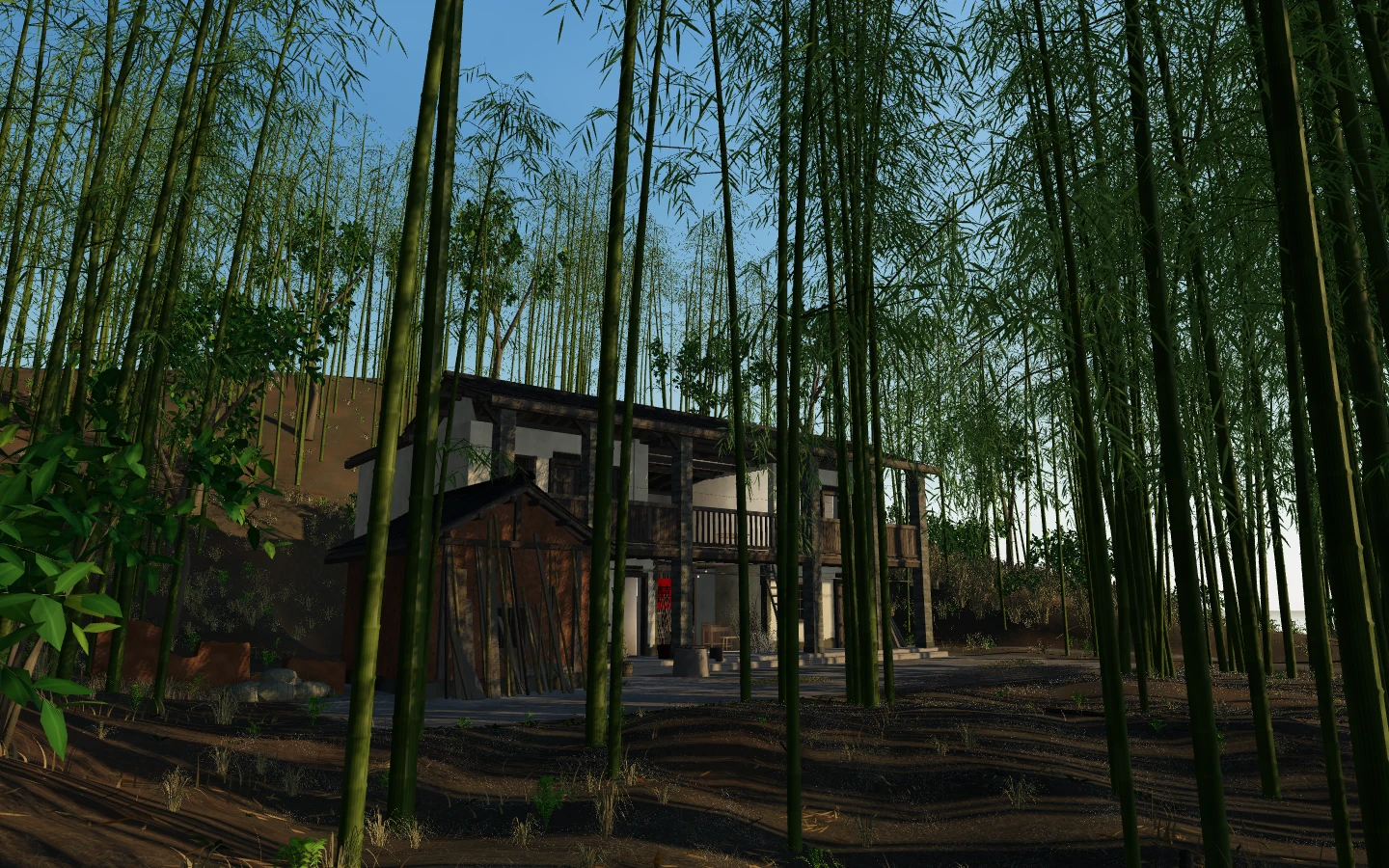
On September 13, creator dirstart shared Bamboo Old House on V2EX. They describe using older photographs and Astra to recreate their grandmother’s home in Longyan, Fujian, and have published the website and source. The author recalls living there as a child; the village later relocated and the old home became difficult to visit.
The Three.js project presents bamboo, wooden corridors and rooms in a browser. Its current README describes a guided route, selected indoor and outdoor viewpoints, 360-degree viewing, day-to-night settings, weather and natural sounds. Visitors can change the view of the house or listen to rain in the bamboo, extending the experience beyond a single photograph.
An organized album or a restored image can be enough to share old photographs with family. An explorable space becomes useful when you want them to view rooms from different angles and experience weather and sound. The published project connects scene assets, web controls and audio: changing the scene file also requires updating the website’s assets and checking that it opens well on a phone. The model helps the creator build it; visitors use a browser without subscribing to that model. The extra value is exploration, and the extra work is making the creation usable on someone else’s device.
- Explore Bamboo Old HouseOpen the creator’s website to change the viewpoint, light and weather. The first visit may take a moment to load.
Sources and further reading
05
Connect the new capability to something you already do
The choice can be small and specific. Clear audio but repeated work finding the important points calls for better transcription and organization. An image that drifts with every edit calls for comparing tools on the same material. A completed scene that a friend cannot open calls for work on loading and controls. Address the step that currently creates the most work.
Start with one piece of material you already have. State the result you want, use your current tool far enough to inspect its work, then decide whether to add another tool. If understanding the material or generating the result is the obstacle, Astra’s shared inputs and outputs provide a reference. If your current result already works, save, revise or share it. Completing useful meeting notes, an image or a creation someone can open gives you a clearer basis for the next choice.
See how these changes connect
Return to your tools and tasks to see how to access the capability.
For image work, inspect visible inputs, revisions and results.