
Tool fragmentation
Clients, terminals, and editors each provide a separate entrance. The project must be reconstructed in memory.
One real problem at a time
SOLUTION EXPERIMENT · DEVHUB
DevHub brings sessions, branches, scripts, and tool entry points back under one project. The current build shows the mechanism; real return sessions will tell us whether it actually saves time.

WORKFLOW 001 · NODE POSITION
Current node 067 nodes total
For some multi-project, multi-tool users, continuity may matter more than another entry point.
Development tools preserve sessions, settings, and project records in different ways. Cross-tool work can still require a person to reconstruct the project context. DevHub starts from the project and tests whether recovery can become faster and more accurate while keeping the source of each detail visible.
Before useful work begins, I often have to find where the project stopped.
A project may be planned in Codex, implemented in Claude Code, and debugged in a terminal. Each tool keeps its own history and configuration, while the project has no continuous view of its own.
After a few days away, the first job is to recover the last tool, unfinished decisions, available skills, current branch, ports, and scripts. The project context has to be rebuilt before the next problem can be solved.
DevHub focuses on that recovery cost: start from the project, see its state and available paths, then choose the right tool for the next step.
Six small fragments break one continuous flow.
Each looks minor on its own. Together they interrupt work, hide cost, and make it easier for the wrong context to enter another project.
Clients, terminals, and editors each provide a separate entrance. The project must be reconstructed in memory.
Plans, APIs, quotas, and reset windows are scattered, obscuring overlap and idle spend.
History stays inside each platform. Decisions, failed paths, and next actions are not continuous by project.
Skills, MCP servers, and plugins differ by installation, version, permission, and supported surface.
Branches, worktrees, scripts, ports, logs, and local services live outside the session history and outside one view.
An incorrect automated summary can inject another project's constraints, secrets, or stale decisions into the current task.
Start with the project. Then choose the tool.
DevHub is a local Mac project workspace: open one project, inspect its state, history, and available capabilities, then decide where the next step belongs.
Sessions, tools, memory, cost, and operations are organized around the project.
Existing machine records come first; private projects do not need to move to another cloud.
Success is not more features. It is reaching the first context-correct task sooner.
Show what comes from a source record, what has been summarized, and what still needs confirmation.


From project entry to context and fixed cost.
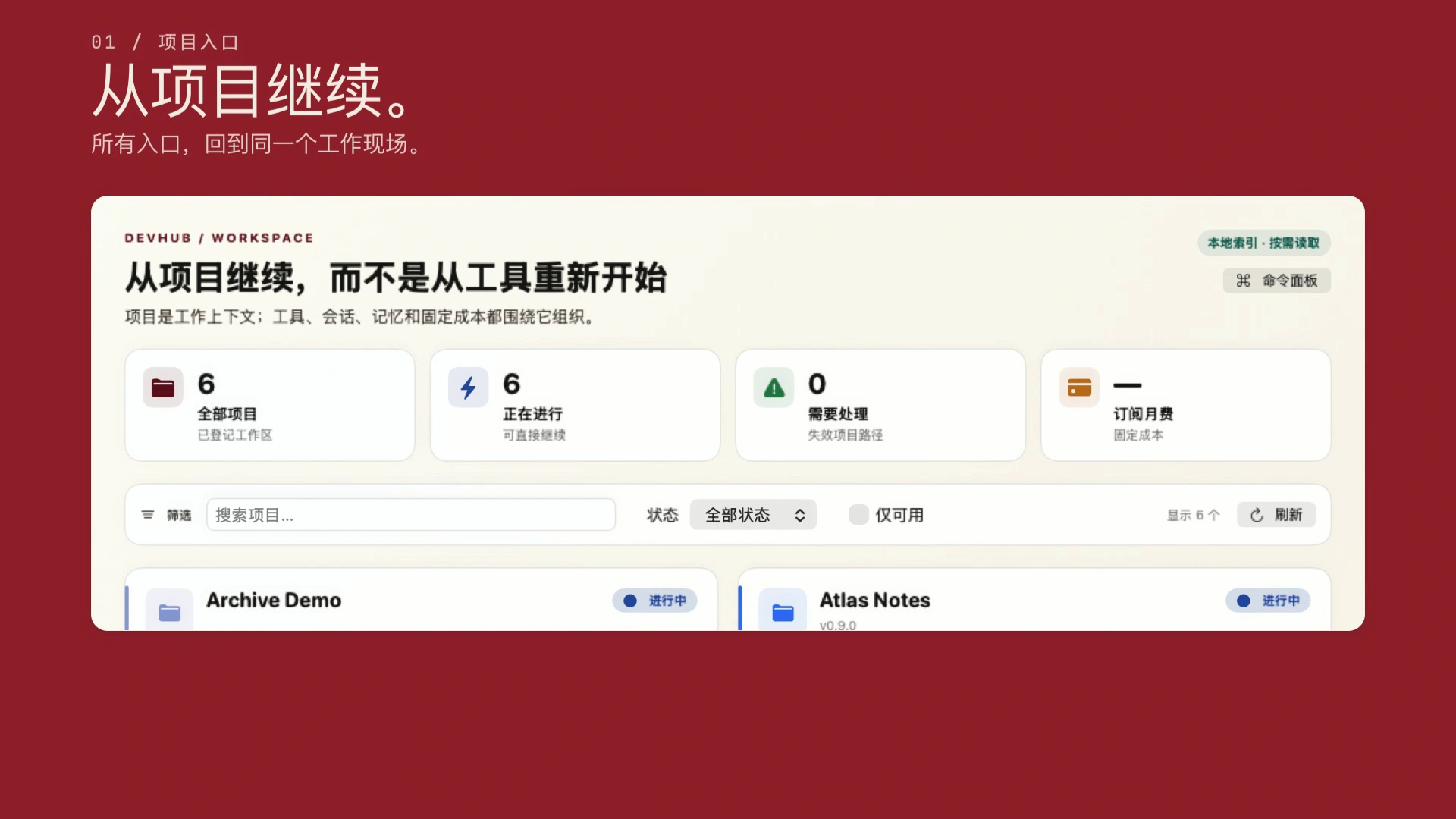
This 12-second illustration shows three current product surfaces: project entry, local context boundaries, and subscriptions. It simulates no clicks and makes no outcome claim.
A working product is not the same as proven user value.
Engineering implementation, user outcomes, and commercial value require different evidence. Only confirmed facts are stated as facts here.
The current development build runs, with implemented project aggregation, AI sessions, tool launch, usage, and local-operations interfaces.
It is more specific than 'manage every tool,' but repeat use and baseline comparisons have not proven it.
People may only need a project launcher, local operations, or a cost view—not full session aggregation.
There is no external retention, time saved, error reduction, payment, or referral evidence yet.
Measure the recovery cost first. Then see whether DevHub changes it.
The first run establishes a baseline without DevHub, then compares speed, correctness, and repeated explanation. 'Recover in 60 seconds' is a target to calibrate, not a claimed result.
Record the project, previous tool, history-search steps, repeated explanation, and time to effective work.
Cover at least three projects and two AI tools, comparing paths with and without DevHub.
Track the branch, session, constraints, omissions, and any cross-project context injection.
Ask a small set of multi-project, multi-tool developers to try it and watch for a second return.
Real use writes the next version.
Baselines, recovery logs, incorrect associations, and the moments DevHub is skipped will continue to be added. The results decide what stays.
Return to the project-reentry question