At first I only wanted to make AI run. The harder problem appeared later: keeping a real project moving after days away and across several sessions.
Evidence in progress · judgment open to revisionFirst edition · 2026-08-15
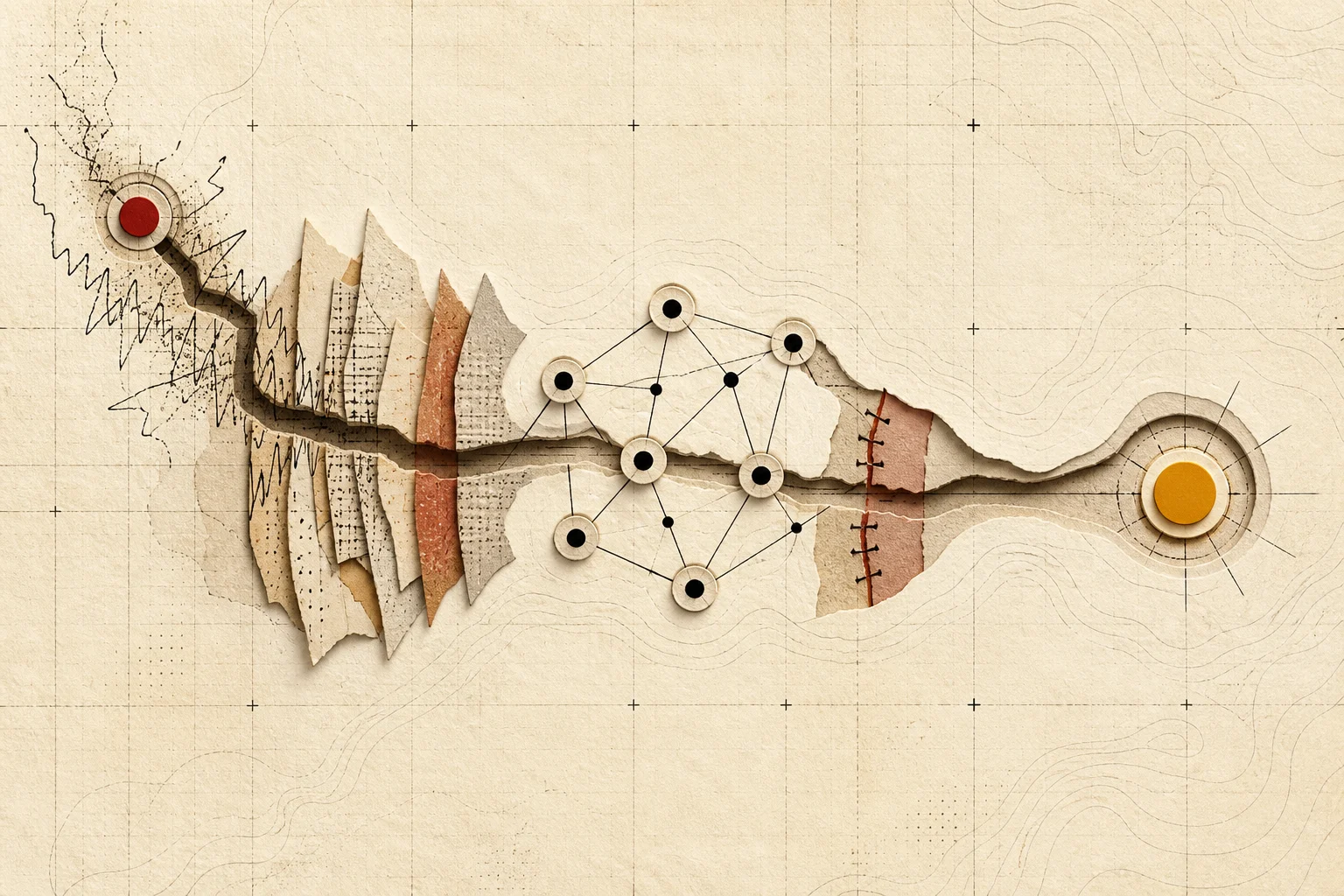
WORKFLOW 001 / FIELD MAPBRAND ILLUSTRATION / FIELD MAP
The image describes this Workflow’s narrative shape: scattered material enters one decision and moves toward a current judgment. It does not replace records, comparison, or actual-use results.
The 30-second judgment
More tools do not help if I cannot return to the right work.
Open reasoning+
A useful primary workflow should help me start today and still know the project, context, and boundaries when I return. Models, plugins, and subscriptions can add capability, but repeated session hunting, background retelling, and permission checking are also costs.
The decision in this Dig
Give primary, fallback, and specialist tools distinct jobs. Add another entry only after the simpler path fails repeatedly.
What this does not establish
It is not a universal recommendation, and it does not show that my current tools are better for every developer or project.
IS THIS YOUR PROBLEM?
Is this your problem?
If your projects cross days and tools, this problem may already be costing you time.
It may be worth continuing
You maintain two or more real projects that continue across days.
You use more than one AI development tool, model entry point, or run environment.
You repeatedly search for an old session, branch, script, or unfinished decision.
You may not need it
Most of your work is one-off questions, snippets, or short demos.
One tool already carries the project with almost no recovery overhead.
The larger problem is an undefined need or a project that has not really started.
WORKFLOW 001 · PATH AND RECEIPTS
From start to finish
Seven nodes form a returnable working path—not a table of contents.
Each node removes one unknown and leaves a receipt. A failed gate returns to the last safe node.
Start with the problemEnd with a handoff-ready result
00Theme contract · organized
Define the result and stop line
Should leaveTheme contract
Open node+
State what this workflow will solve, what it must produce, and when the work should stop.
I started by getting AI to run. The real drag appeared later: every return meant rebuilding the project context.
WSL2, servers, and coding agents each solved the next problem—and left a new switching or recovery cost. Records and recollection are labeled where they belong in the path below.
WORKFLOW 001 / PERSONAL PATHSHIFT IN JUDGMENT · REVISION OPEN
The first questionHow do I get AI running?
→
The question nowHow does the project keep moving—and return correctly?
01Run
02Recall
03Deliver
04Expand
05Simplify
06Primary
07Re-enter
The map shows a shift in selection criteria, not a tool ranking or a universal recommendation. Green marks retained records, yellow recollection, red the current state, and the split-color node an open test.
01
Run
Make AI run
Standard: can it run at all?
Open experience and material+
My early attention went to Windows, WSL2, a server, model configuration, and the first useful reply.
Recalled from experience · first date unverified
02
Recall
Make it reachable and repeatable
Standard: can it be called again?
Open experience and material+
A server, a messaging entry point, and scheduled tasks turned one local success into something that could be triggered again.
Recalled from experience · contemporary server and messaging records still need to be recovered
03
Deliver
Use coding agents on real projects
Standard: can it finish the project?
Open experience and material+
Two retained repositories confirm that real project work continued through June and July 2026. Retained metadata also places Claude Code inside one of those project contexts.
Project and tool-context records · no project or commit is attributed to one tool
04
Expand
Add models, plugins, and skills
Standard: more capability is not automatically a steadier workflow.
Open experience and material+
Model flexibility and plugin ecosystems expanded capability, along with configuration, permission, failure, and maintenance cost.
Retained records place Claude Code, Codex, and ZCode in the workflow · other ordering remains recollection
05
Simplify
Try lower-friction entry points
Standard: easy to start and suitable long-term are different tests.
Open experience and material+
Easier applications reduced setup burden without necessarily supporting deep, cross-project work over time.
Personal use · exact sequence still being checked
06
Primary
Settle on a current primary workflow
Standard: the primary tool carries sustained work; it need not own every task.
Open experience and material+
I now rely mainly on Codex and GPT capabilities because they better fit my current needs for continuity, automation, and visual collaboration.
Retained Codex records increase sharply from late July · not proof of productivity or a universal best
07
Re-enter
Test project continuity
Standard: recovery must be faster and correct.
Open experience and material+
Once tools, sessions, and plugins multiplied, recovering the right project context became a measurable problem in its own right.
DevHub solution experiment · user outcome unknown
FIRST DECISION FRAMEWORK
Seven decision checks
Seven questions get closer to the real cost than “does it have more features?”
This is a decision checklist—not a ranking or objective score. Real project re-entry will revise it.
01
Project delivery
Can it finish a real project rather than a first demonstration?
Commits, running output, failure, and rollback02
Project continuity
After a few days, can it return to the right project, session, and constraints?
Recovery time, omissions, mis-association, repeated context03
Role clarity
Do primary, fallback, and specialist tools have clear boundaries?
A new workspace is not the starting point. Existing methods are often enough.
DevHub is justified only when simpler methods fail in an observable way. Otherwise, a new product merely repackages the complexity.
README / PROJECT.md
Enough when
Projects are few, constraints are stable, and the document stays current.
Breaks when
Sessions, branches, and runtime state change faster than the document.
Project scripts and terminal history
Enough when
The main problem is commands, ports, and local services, and history is cheap to search.
Breaks when
You need decisions, failed paths, and the next move across tools—not just a restart.
Built-in session recovery
Enough when
A project stays in one tool and its history search and context remain reliable.
Breaks when
The project crosses clients, models, or accounts and its history fragments.
System launcher and manual notes
Enough when
You mainly need to open the project, terminal, and common links.
Breaks when
Opening them still leaves the session, constraints, cost, and runtime context to rebuild.
SOLUTION EXPERIMENT · DEVHUB
DevHub solution experiment
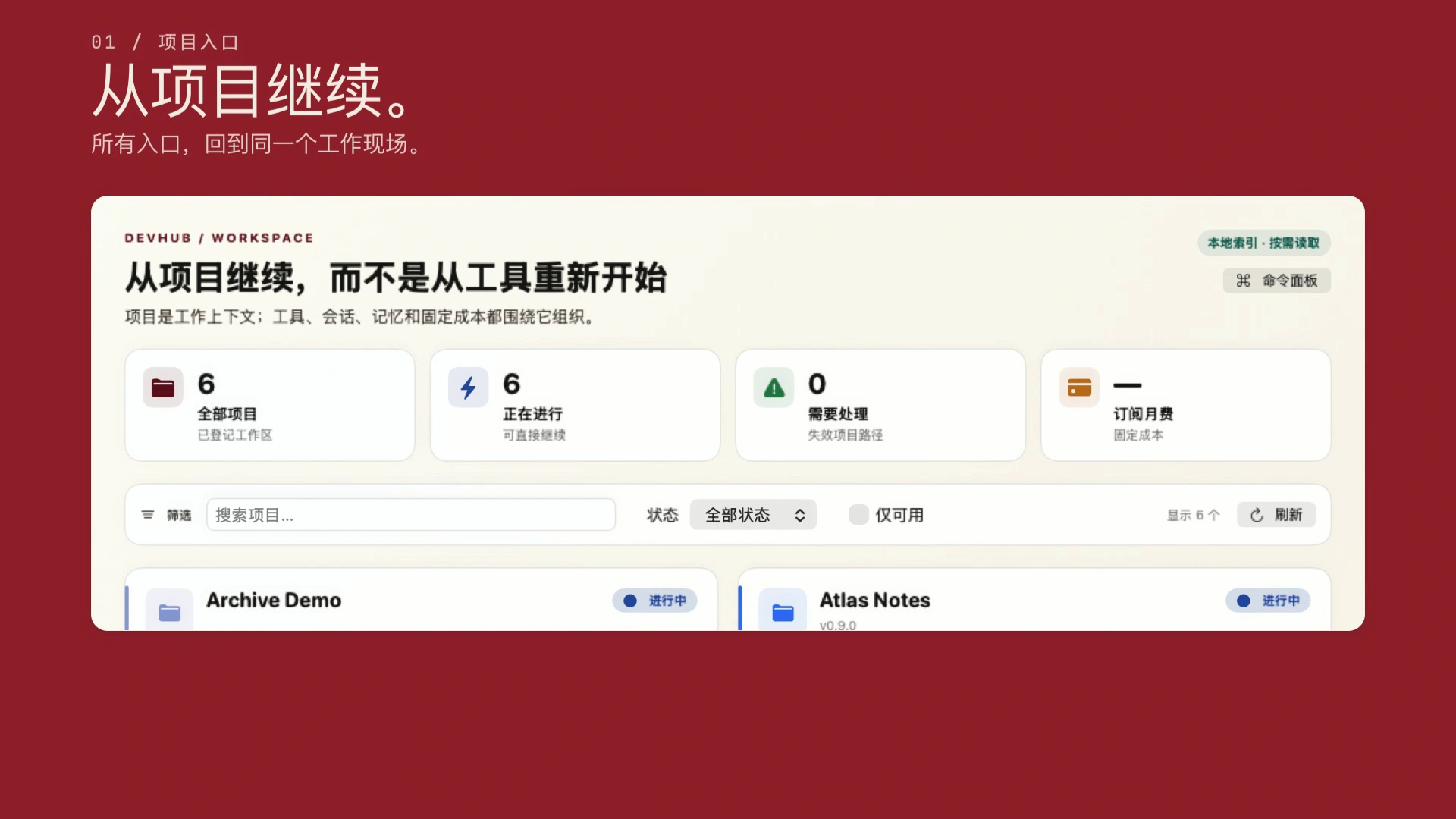
DevHub tests continuing from the project instead of restarting from the tool.
The current build puts projects, AI sessions, tool entry points, usage, and local operations in one Mac workspace. The question is project re-entry—not “manage every AI tool.”
What can be confirmed
A working build and sanitized demo interfaces exist, covering project, session, tool, usage, and local-operations capabilities.
What remains unknown
Whether it beats free methods on recovery time, repeated explanation, and mis-association—and earns repeat external use.
DEVHUB / PROJECT WORKSPACEPROMOTIONAL COMPOSITION / DEMO DATA
A promotional composition based on the current build and demo data. It shows how the interface organizes around a project; it is not an interaction recording, user case, or outcome evidence.
From project entry to context and cost.
The 12-second animation explains the relationship among three current interfaces. It does not simulate a successful use or stand in for user evidence.
Current build · demo data · operation illustration. Not an interaction recording, external user case, or evidence of time saved. The animation does not loop and can be paused.
EVIDENCE MAP
Where the evidence stops
Experience, current reproduction, and user outcome are different kinds of evidence.
The material is enough to establish parts of this path and the current DevHub mechanism. It is not enough to prove a complete timeline, tool causality, or external user value.
Contemporary records
The projects and some tool use can be confirmed
Git history confirms two project timelines. Retained metadata places Claude Code in one project and Codex or ZCode in the wider workflow; none attributes a project to one tool.
Current reproduction
The DevHub interface and flow can be shown
Sanitized demos establish what the current build contains. They do not prove past availability or user benefit.
Personal recollection
Some motives and ordering still lack records
They remain labeled as recollection, without invented dates or universal causal claims.
Unknown
Whether continuity forms independent user value
Recovery time, accuracy, repeat use, and maintenance cost require new evidence.
NEXT VALIDATION
What to test next
Measure what project recovery costs before DevHub enters the comparison.
Without a baseline, “faster” is advertising language. The next pass records ordinary returns, then compares under the same conditions.
01
Record three naturally occurring project returns
Capture the previous tool, history search, repeated context, time to useful work, and whether the correct project context was found.
02
Cover three projects and two tools
Compare ten recoveries while checking the branch, session, missing constraints, and cross-project mis-association.
03
Put free methods in the same comparison
README files, scripts, terminal history, session search, and system launchers remain real alternatives.
04
Invite similar users only after self-use holds
Watch for a second return. Completing onboarding once is not sustained value.
Continue or stop
The current conclusion is a working hypothesis before the next real return.
New baselines, failures, mis-associations, and counterexamples enter the revision record. Tools can change, and the decision standard changes with the evidence.