AI video · Case study
The Final Plate: choosing a storyboard direction and finishing a short film
Open the finished film, compare three real storyboard directions, then trace the falling-dish shot from anchor frames and video prompt through the edit.
Published · Reviewed
 View original work ↗
These files establish a finished project and its process, not audience size, commission, receipts or profit.
Check this resultA cook enters a competition kitchen, loses a finished dish, improvises a replacement and waits for the judges. This is Samin12's public short-film project, not an official MasterChef production or a verified money-making venture. Its value lies in the unusually traceable chain of three storyboard directions, selected frames, shot files and the final assembly.
Verified material
Start with the finished film
The original repository provides a final edit, individual shots and the maker's notes.
The final file, story-attempt-1-final-smoothed.mp4, runs about 80 seconds and includes a live-action introduction before the cook-off story. A separate nine-second intro-to-contest seam is not the full film. GitHub may not preview the larger final file inline; View raw opens the original.
The approved brief uses a pink cup as a recurring prop and says the film borrows a cook-off genre without using a show's name or trademark. The film and project files establish a completed piece; the repository offers no audience metrics, client contract or revenue ledger.
Sources for this section: Samin12: The Final Plate project overview · Complete final film file · Approved creative brief
Verified material
Three storyboard directions: which one was selected?
Three contact sheets explore the same project; the maker selected the first as the working direction.
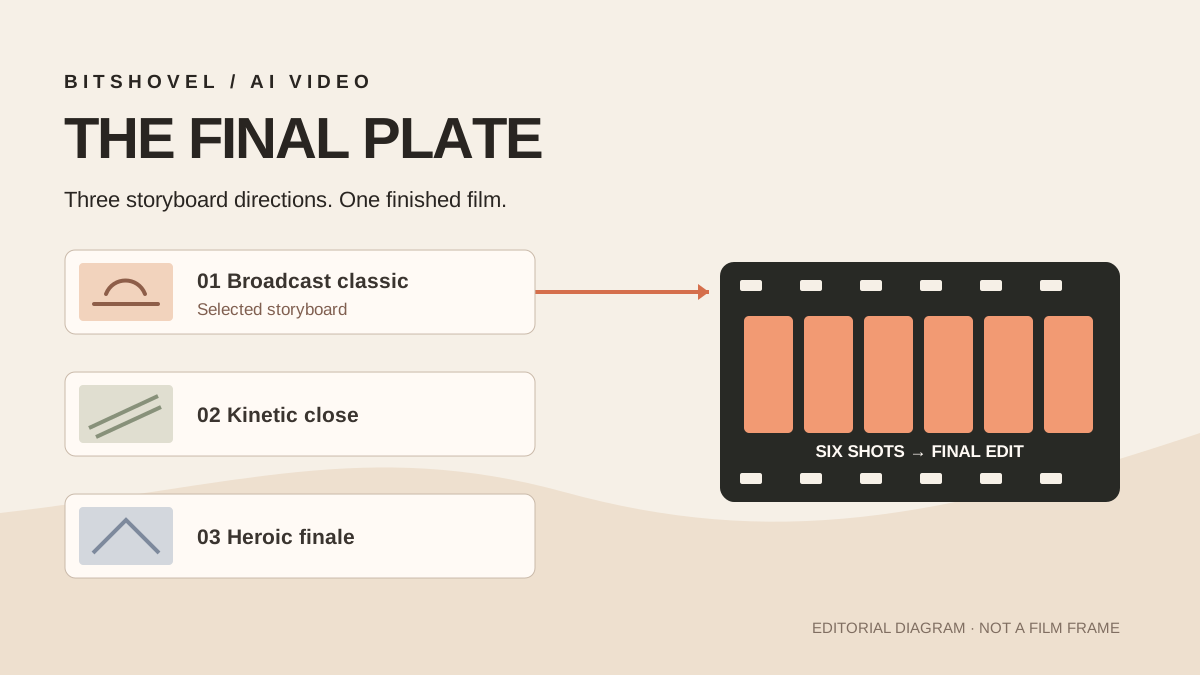
Attempt 1 is the selected storyboard direction; Attempt 2 explores closer, more physical framing, and Attempt 3 wider, cleaner hero compositions. The approved files follow Attempt 1, whose contact sheet matches the approved version. Open the three original sheets to compare framing and emphasis.
These are creative alternatives, not three failed video generations. The maker does not publish a point-by-point reason for choosing the first direction or the settings behind every image. A useful practice is to compare visual routes against one story goal before generating long clips, while keeping our visual reading separate from the maker's undisclosed reasons.
Documented process
Three visual directions for one film
The maker's own storyboard alternatives and selection record; open the originals to compare them.
Attempt 1 · selected
The broadcast-style route that became the approved working set.
Open Attempt 1 imageAttempt 2 · unselected
The maker describes closer, more physical framing; no shot-by-shot rejection reasons are given.
Open Attempt 2 imageAttempt 3 · unselected
The maker describes wider, cleaner hero compositions; no shot-by-shot rejection reasons are given.
Open Attempt 3 image
Evidence limitOriginal images remain linked at the maker's repository. Separate permission for media reuse, reference photos and likenesses is not documented, so BitShovel does not copy or embed them.
Sources for this section: Attempt 1 storyboard and notes · Attempt 2 storyboard and notes · Attempt 3 storyboard and notes · Maker's storyboard approval log
Verified material
How one shot moves from approved frames to video
Trace Shot 04's falling dish through approved frames, anchors, prompt and actual clip.
The maker uses the completed dish in F4 and its fall in F5 as Shot 04's start and end anchors, with a video prompt and a roughly twelve-second clip. The fall is a story beat, not a model failure. Following this one shot shows what the still frames constrain and what the final edit must connect.
The project's shot overview names Seedance 2.0 and a six-shot first/last-frame chain; its reference plan names Nano Banana for character, kitchen and dish assets. It does not publish complete model logs, so exact settings, retry counts and costs remain unknown. Other tools listed in the root README are options, not proven tools used in this film.
Documented process
Shot 04 · the falling dish
Original inputs and output for one shot, each linked to the maker's file.
Shot anchor frames
The shot folder pairs start and end images as the movement's constraints.
Inspect anchor-frame filesShot-specific video prompt
The written prompt describes the dish's fall and visual change.
Read the maker's promptActual twelve-second clip
The maker's Shot 04 video file, later assembled with the other shots.
Open the Shot 04 clip
Evidence limitThe selected inputs and output can be checked; rejected video takes, every revision and complete generation settings are not public.
Sources for this section: Shot 04 approved frames and anchors · Shot 04 video prompt · Shot 04 video file · Six-shot video prompt overview · Visual reference plan
Public account
The actual fixes: frame rate, sound and identity
The maker's fix notes are specific, although no failed-and-revised video pair is published.
The stitching notes document mismatched resolution, frame rate and audio between the live-action intro and generated transition. The maker normalised them to 1280×720, 24fps and 44.1kHz stereo and used a white flash to mask the seam. Finishing choices, not just generated shots, determine whether viewers notice a break.
An identity comparison note says the protagonist's facial match was soft in some frames, prompting extra identity-lock references. Comparison images are present, but the original prompt, retry count and decision for each image are absent. This is not a documented bad-prompt/good-prompt experiment.
Sources for this section: Stitching and finishing notes · Identity comparison notes
Our analysis
What a reader can borrow—and what remains unproven
The reusable part is the documented decision and shot handoff, not a market-return claim.
A small trial could start with one story turn and one shot: state the goal, make two or three framing options, record the selection, then keep start and end references, video prompt, output and actual finishing problems. That record makes an unsuccessful result diagnosable at the right stage.
This project does not establish views, customer demand or earnings. The repository has an MIT code licence but no separate statement covering reuse of every generated film asset, live-action reference, likeness or music element. Studying the structure differs from reusing the media, identity or a cooking-show brand; check your own rights first.
Sources for this section: Samin12: The Final Plate project overview · Repository MIT licence · Approved creative brief
Sources and limits
Where the material comes from
- Samin12: The Final Plate project overviewMaker's project notesChecked
Story, alternatives, six shot clips and final film.
- Approved creative briefOriginal creative fileChecked
Character, prop and plot; clarifies it is not an official show production.
- Complete final film fileMaker's final filmChecked
Includes the live-action opening and cook-off story; GitHub may require View raw.
- Attempt 1 storyboard and notesMaker's candidate and selection notesChecked
The first direction became the working set; individual decision reasons are not supplied.
- Attempt 2 storyboard and notesMaker's alternativeChecked
A closer, more physical framing direction.
- Attempt 3 storyboard and notesMaker's alternativeChecked
A wider, cleaner hero-composition direction.
- Maker's storyboard approval logMaker's selection recordChecked
Confirms Attempt 1 as the selected working set without itemised rejection reasons.
- Shot 04 approved frames and anchorsOriginal frame filesChecked
The F4-to-F5 visual anchors; the fall is a story beat.
- Shot 04 video promptOriginal production instructionChecked
Shot-specific action description.
- Shot 04 video fileMaker's shot outputChecked
Roughly twelve-second clip used in the final film.
- Six-shot video prompt overviewMaker's production fileChecked
Names Seedance 2.0 and the linked first/last-frame approach.
- Visual reference planMaker's production fileChecked
Names Nano Banana and references; not every source photo or generation log is available.
- Stitching and finishing notesMaker's issue and fix recordChecked
Resolution, frame-rate and audio normalisation plus a white-flash seam.
- Identity comparison notesMaker's revision noteChecked
Soft facial matching noted, without per-image generation logs.
- Repository MIT licenceRepository licenceChecked
No separate media, reference-photo or likeness grant was found.