01 / HOW IT HELPS
Start with what it may help you do
What it can help with
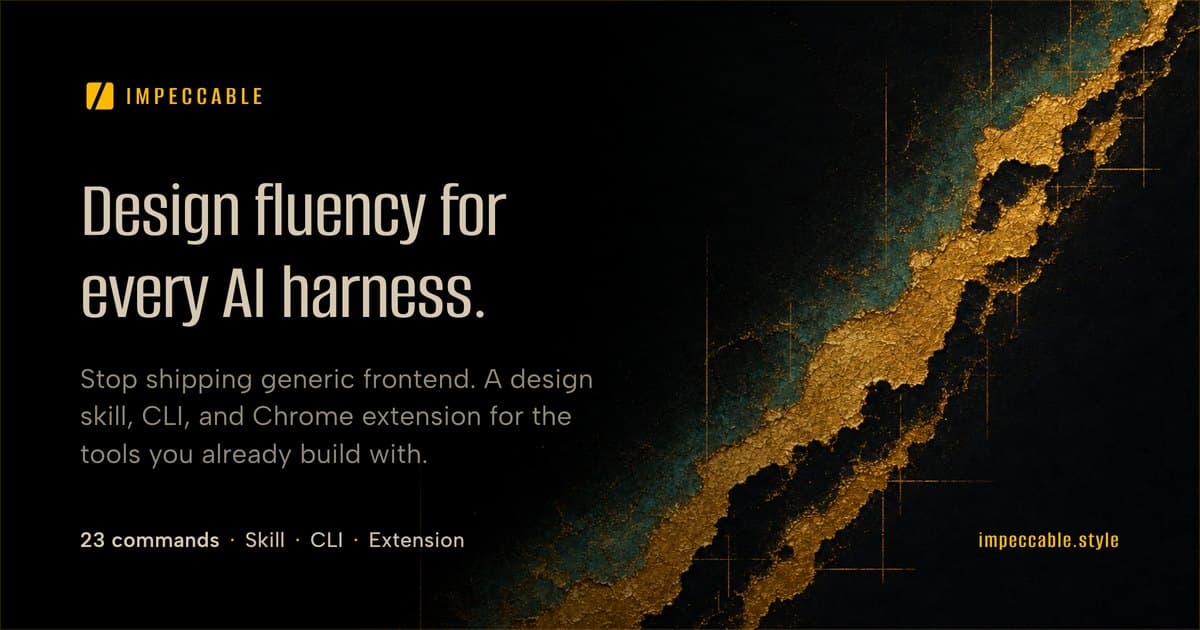
AI can produce a working interface quickly, yet often repeats the same fonts, rounded cards, gradients, and vague copy while missing responsive, overflow, and accessibility details. Impeccable brings product context, design commands, browser iteration, and deterministic checks into the coding-agent workflow people already use.
Who may find it useful
Developers and designers building web interfaces with Claude Code, Cursor, GitHub Copilot, Gemini CLI, Codex CLI, and similar tools who will define the audience, positioning, and existing design constraints before reviewing each diff. It is a poor fit when there is no product context, no one can review changes, or project hooks cannot be managed safely.
Current availability
An open-source project or live demo is available. Full use may still require installation or configuration.
A low-risk first try
Use a disposable branch and choose one existing page. Inspect the directories the installer plans to write and skip the automatic hook at first. After initializing project context, run one critique or audit without asking for a site-wide redesign. Read the report, then accept only one small change you can explain, test, and revert.
02 / BEFORE YOU USE IT
Know these limits before you start
The installer writes skill files into a project or user directory and can add a project hook that runs after UI edits; Codex still requires separate approval for that hook. The privacy policy says project files, prompts, and detection results are not sent to Impeccable, but a daily version check, a request for candidate visual directions, and an optional note of the selected direction may occur unless disabled. A design-direction description is sent to OpenAI only when OPENAI_API_KEY is configured. The current skill release is 4.0.2 while the npm CLI reports 3.3.1, and rule counts differ across the README, site, and changelog, so check the artifact you actually install. Its aesthetic rules are opinionated and do not replace user testing, accessibility audits, performance measurement, or brand judgment.
Compared with other options
Compared with a one-off “make this page look better” prompt, it persists product context and splits work into repeatable commands. Compared with ESLint, axe, or Lighthouse, it reaches further into design language and agent workflow, but many findings are preferences rather than objective failures. Compared with a designer review, it can surface repeated patterns and mechanical issues quickly, but cannot replace understanding of users, brand, and content hierarchy.
03 / PRODUCT VIEWS
See what the product looks like today

04 / SOURCES & DATE
Where to go if you want to learn more
- Maker / author
- Paul Bakaus and Impeccable contributors
- Country / region
- Not publicly specified
- First added
- 2026-07-26
- Last checked
- 2026-07-26
Original sources (7)
Open the maker's material directly to check features, installation, data, and versions. These links leave BitShovel.
We reviewed public pages and original material but have not completed the full workflow ourselves.
Why we show sources and unknownsWant to check it yourself?
Try the product yourself, or open the original material to check the details.
ONE-TAP FEEDBACK
Did this page help you decide whether the product fits?
One tap. No writing required.