Creation to use · Personal phone tools
How does a self-made app reach your Android phone?
Google Play is introducing private installation for AI Studio creations. The change concerns distribution: personal use comes first, with sharing and public release following different paths.
The rollout began October 13 for adults in selected markets including the US. This new route currently serves your own device; sharing with friends and family is planned for later.
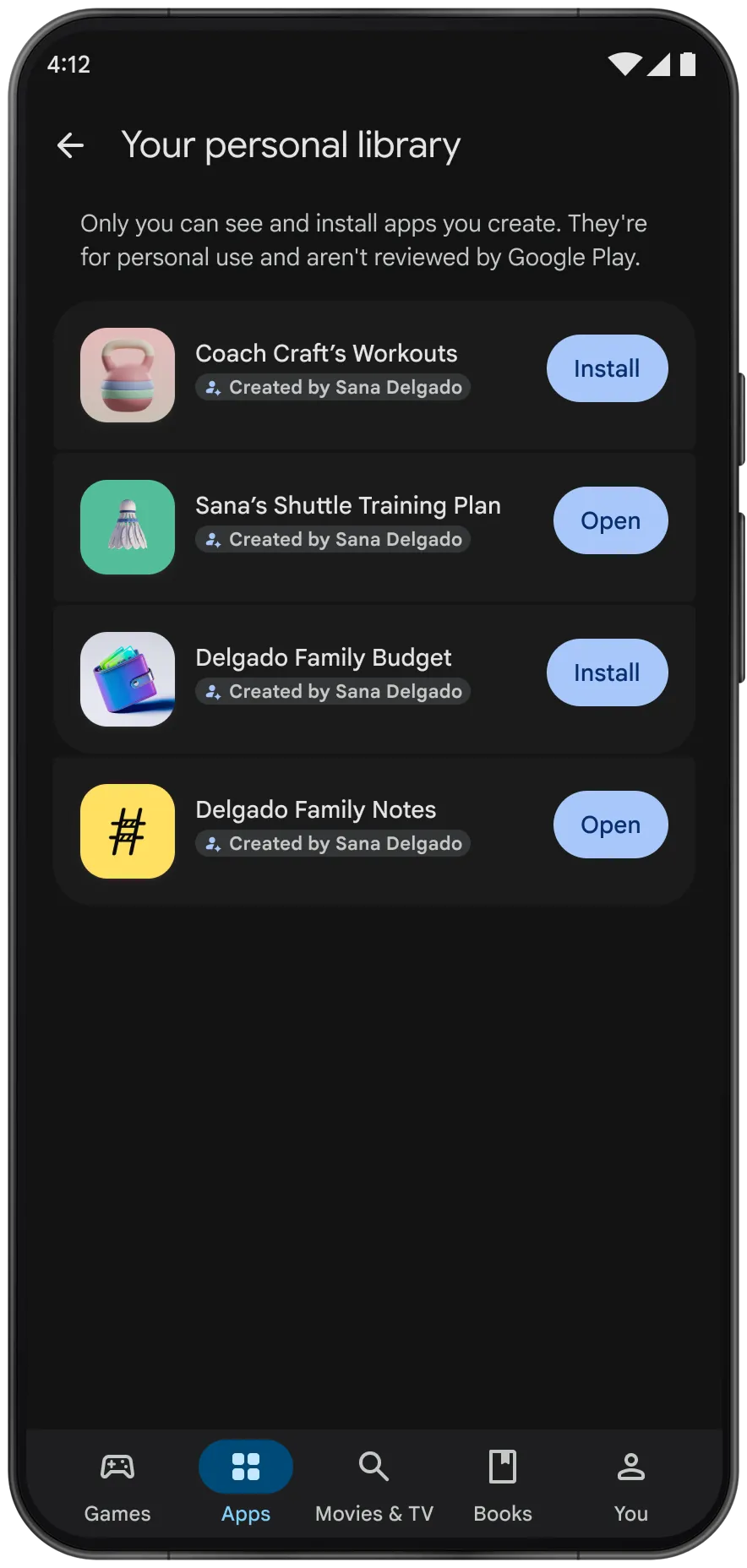
A small tool for your own routine
Google illustrates the idea with training plans, a budget and family notes. Once an idea becomes runnable software, it still needs somewhere convenient to install and reopen. The new route brings AI Studio's Android creations to Play for use on your own device, separately from the public catalog.
Sources and further reading
- Google · Private apps on PlayOfficial announcement · October 13, 2026Standard accounts, own-device installation, rollout and future sharing. The accompanying interface is explicitly simulated.
What changes from the earlier installation routes?
In May, AI Studio already generated native Kotlin and Jetpack Compose projects, previewed them in a browser emulator and installed them by USB through ADB. Developer accounts could also upload to Play's internal testing track. Neither required a public launch. October adds a private Play route using an ordinary Google account.
Making an app and running it are separate. Build lets you choose web or Android, revise through chat and export code. A practice counter and an assistant making model calls have different runtime needs; AI-written software need not use AI every time it runs.
Sources and further reading
- Android · Native app creation in AI StudioOfficial earlier announcement · May 19, 2026Documents Kotlin / Compose, the browser emulator, USB installation and Play internal testing before the October change.
- Google · AI Studio Build documentationCurrent official build documentationDistinguishes web and Android projects, iteration and source export. Web-hosting instructions do not automatically apply to native apps.
Personal use, close-circle sharing and public release
The rollout starts with adults in selected markets, using standard accounts and their own devices. Close-circle sharing is planned for coming months. Public distribution later requires a professional developer account and the usual reviews. The image's no-Play-review notice applies to personal apps, not a store endorsement.
Sources and further reading
- Google · Private apps on PlayOfficial announcement · October 13, 2026Standard accounts, own-device installation, rollout and future sharing. The accompanying interface is explicitly simulated.
Start with one familiar routine
Our suggestion is one familiar repeated action: logging a practice session, reviewing a flashcard or checking a packing list. Make input, saving and reopening work before adding a model. Keep a way to export code and data, and check that an update preserves old entries. That matters more to daily use than polished product styling.
No developer account describes access to distribution, not a blanket free service. Model calls and other services have their own pricing. This article interprets the official materials without claiming an account login, generated project or phone installation; actual access still depends on your eligible account.
- Read Google's private-app announcement
- Explore AI Studio's Build mode
- Continue to an editable generated library
Sources and further reading
- Google · AI Studio Build documentationCurrent official build documentationDistinguishes web and Android projects, iteration and source export. Web-hosting instructions do not automatically apply to native apps.
- Google · Gemini API pricingCurrent official API pricingModel choice and usage affect costs; avoiding a developer account does not make all model calls free.