From product to everyday life · A photo wardrobe
Clothes in old photos become your next outfit: Google Photos wardrobe
Find clothes you have worn, combine them again and preview the look. Google Photos expands wardrobe access, giving old photos another everyday use.
Expanded access announced September 24; reviewed September 25. Available to eligible accounts in the U.S., India and Brazil. We use official demos here and have not tested it with a personal library.
From something you wore to something you can choose
A travel photo reminds you of a jacket you still own. Google Photos wardrobe takes that moment further: clothing in photos becomes a digital closet for choosing and combining again. Its September 24 update says the feature is available to eligible Android and iOS users in the U.S., India and Brazil.
The feature was announced on April 29, with categories, occasion-based outfit boards and virtual try-on already described. What changes now is access. The broader idea is that an old library can become material for your next outing.

Sources and further reading
- Google Photos: September feature updateOfficial announcement · September 24The article and footnote 2 identify wardrobe and its Android/iOS regions.
- Google: the original digital wardrobe introductionOfficial introduction · April 29The original feature description and two demos, not new September footage.
Choose the clothes, then preview the combination
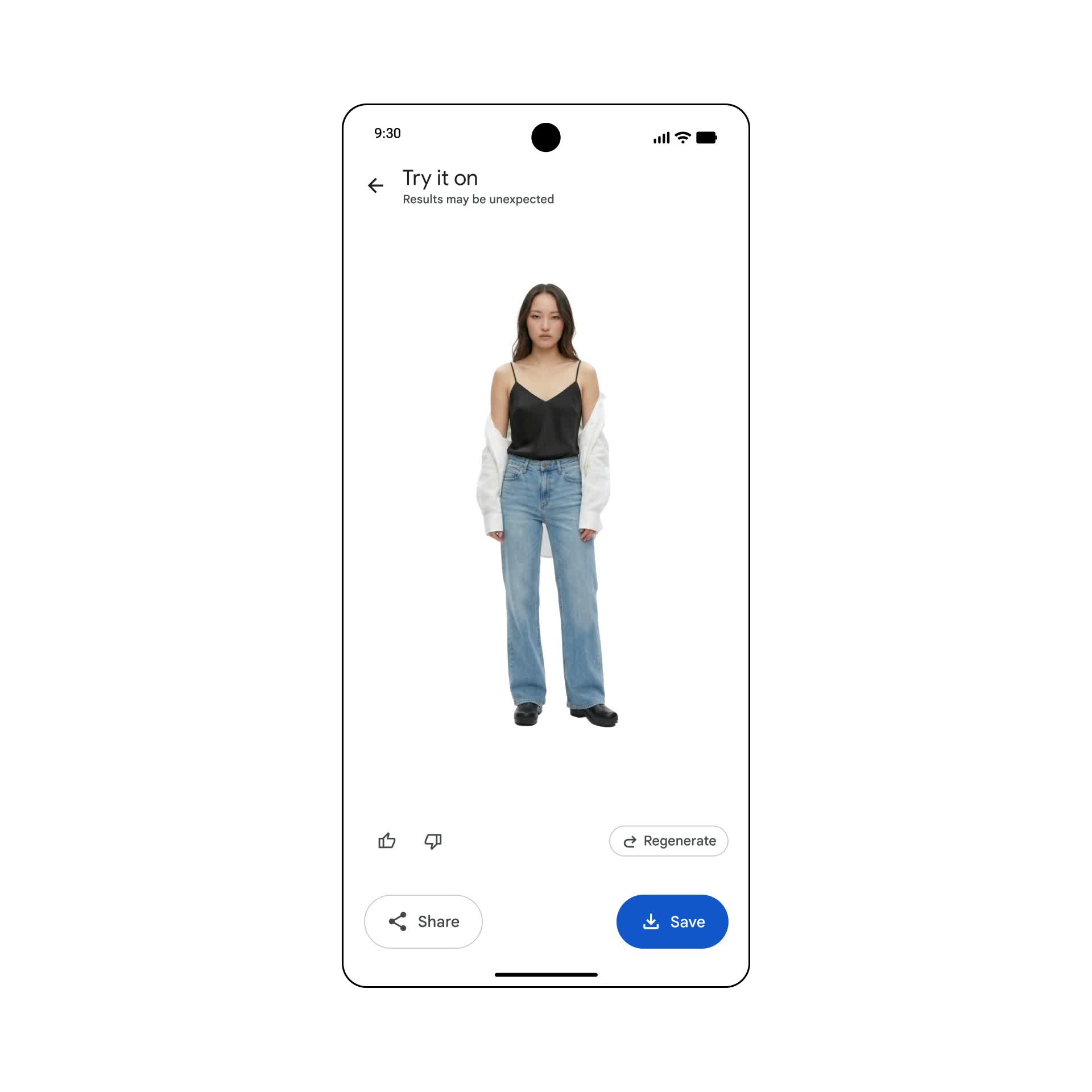
In the roughly 22-second walkthrough, clothes appear as items and outfits before the demo moves to virtual try-on. At 18 seconds, a black-and-white top combination with jeans appears above save, share and regenerate controls. The original video shows the sequence from selection to preview.
The everyday possibility starts with asking how to wear what you already have. A preview can help discuss color, layers and style. Fit and whether you still own an item require checking: a record of having worn something is not automatically an accurate present-day inventory.
- Watch: from wardrobe to try-onAbout 22 seconds, an official Google walkthrough.
Sources and further reading
- Original wardrobe and try-on demoOfficial video · About 22 secondsOutfit list around 7 seconds; try-on preview around 18 seconds.
Start with your access and one small use
Official help requires Face Groups with your own face selected and normally over 1,000 photos of yourself; AI Pro/Ultra subscribers are exempt from that photo count. Android requires version 10 or later. Once notified, open Collections → Wardrobe. Regional access still depends on account eligibility; check the help page and your app.
Alongside our home-inventory story, this reveals two kinds of record. Inventory asks what remains and where; wardrobe turns previous outfits into reusable visual material. Even without access, you could start with a few clothes for your next trip, keep photos of real combinations and find pieces that work together repeatedly. The next useful evidence will be how ordinary users rediscover forgotten clothes with it.
Sources and further reading
- Google Photos wardrobe helpOfficial help · Checked this roundAccount, photo and device requirements and the entry point; check your in-app notification.