Omarchy manual and historical weekly snapshot · First found 2026-08-30
Omarchy: a keyboard-driven desktop with AI tools
Omarchy combines Arch Linux, tiling windows and a chosen set of applications into a complete desktop. Its approach is explicit: keyboard shortcuts launch work, windows and workspaces organize it, and AI tools join the same workflow.
Understand how the windows are arranged
The official manual describes a distribution built on Arch, Hyprland and Quickshell, with browser, editor, notes, office and media tools. Terminals and configuration files remain part of the experience. It suits people willing to learn a different desktop workflow; attractive themes alone do not establish time savings.
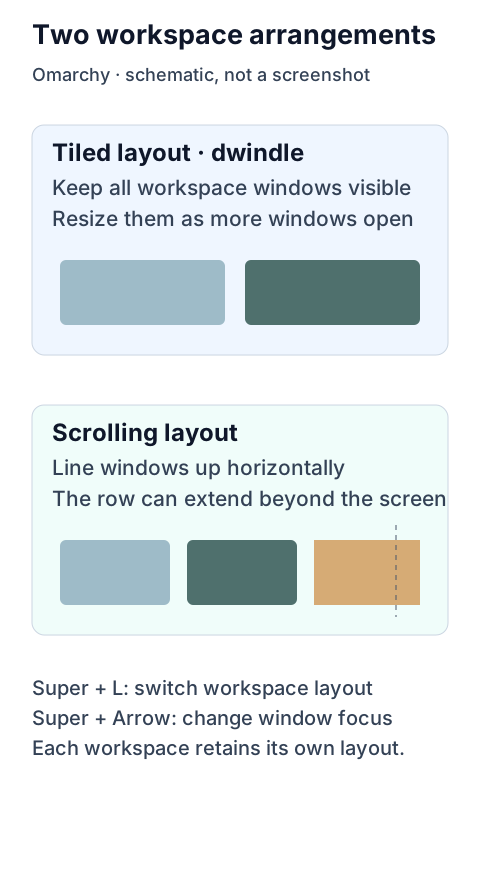
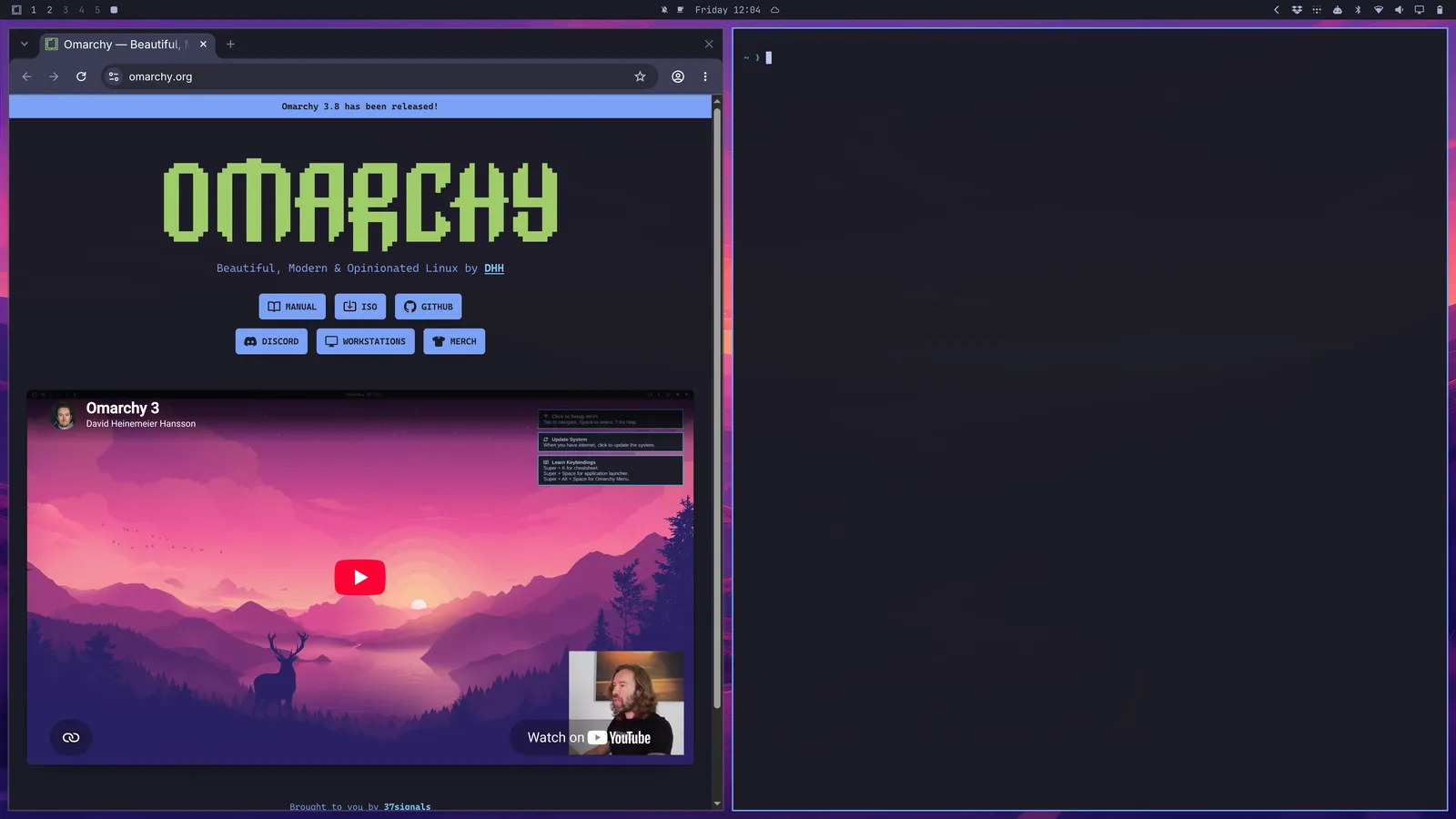
In the manual’s browser-and-terminal example, windows tile automatically. Super + J switches between side-by-side and stacked arrangements, while Super plus an arrow changes focus. Each workspace can retain the default tiling layout or a horizontal scrolling layout, allowing different tasks to use different arrangements.
Super + Space opens the main menu. A terminal or control window needed briefly can also live in a scratchpad workspace that is summoned on demand. The source image illustrates the official manual’s desktop, not an installation or daily-use test by BitShovel.
AI launchers still need models and permissions
The AI manual reviewed here lists several coding-agent launchers. They load on demand, downloading the tool on first use and then asking for authentication. A launcher does not include a model account or free allowance. A chosen default agent can be opened through a dedicated shortcut or terminal, and some tools follow the desktop theme.
LM Studio and Ollama provide local-model options. An experimental Skill helps agents customize the desktop. Convenient default-agent launch paths may use modes that automatically approve operations; the agent still performs the resulting file and system changes. Execution location and permissions therefore depend on the actual settings. The customization Skill also depends on the model and is not a guarantee of reliable automatic repair.
The August 30 snapshot ranks Omarchy third, with 5,942 weekly stars and 34,466 total. It does not establish a shift in user demographics or productivity gains. The feature description comes from the newly reviewed manual and is not a complete feature list for the older snapshot date.
Important additions and corrections
Dates below mark changes to our coverage.
- Correction ·
Explained window management and AI entry points; withdrew demographic and time-saving claims inferred from popularity.
Sources and notes
sources中文
Sources and notes
- Read the originalOmarchy manual and historical weekly snapshot
- Omarchy official manual · introduction
- Omarchy official manual · AI
- Omarchy official manual · navigation
Retained summary and context
Chart attention is not proof of demographics or time savings. Newly reviewed manual features are not backdated to the chart; BitShovel has not installed it, and AI tools still need account and permission setup.
Sources and evidence · 2 links
Each link has a purpose and scope. Link counts do not establish independent confirmation; direct support applies only to the statements specified below.
Source timeline
- · GitHub weekly Trending ranked #3, recording 5,942 stars for the week.
Collection record
First discovered:
Collection and source publication have distinct dates.
Editorial record
Corrected
· Beijing time (UTC+8)
Explained window management and AI entry points; withdrew demographic and time-saving claims inferred from popularity. Event, discovery and collection dates remain unchanged.
Sources and full record
This dates our review of the wording and sources, not a project release or product update.
- GitHub weekly chart, official API, and README
- Omarchy official manual · introduction
- Omarchy official manual · AI
- Omarchy official manual · navigation